Download & Run
Download the standalone executable. No installation or admin rights required.

Professional Remote Support
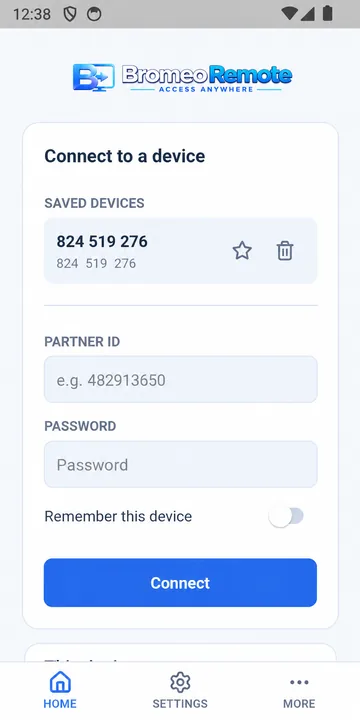
Connect securely to remote computers in seconds. Built for Windows and Android with end-to-end encryption and full hardware license binding.
How it works
Download the standalone executable. No installation or admin rights required.
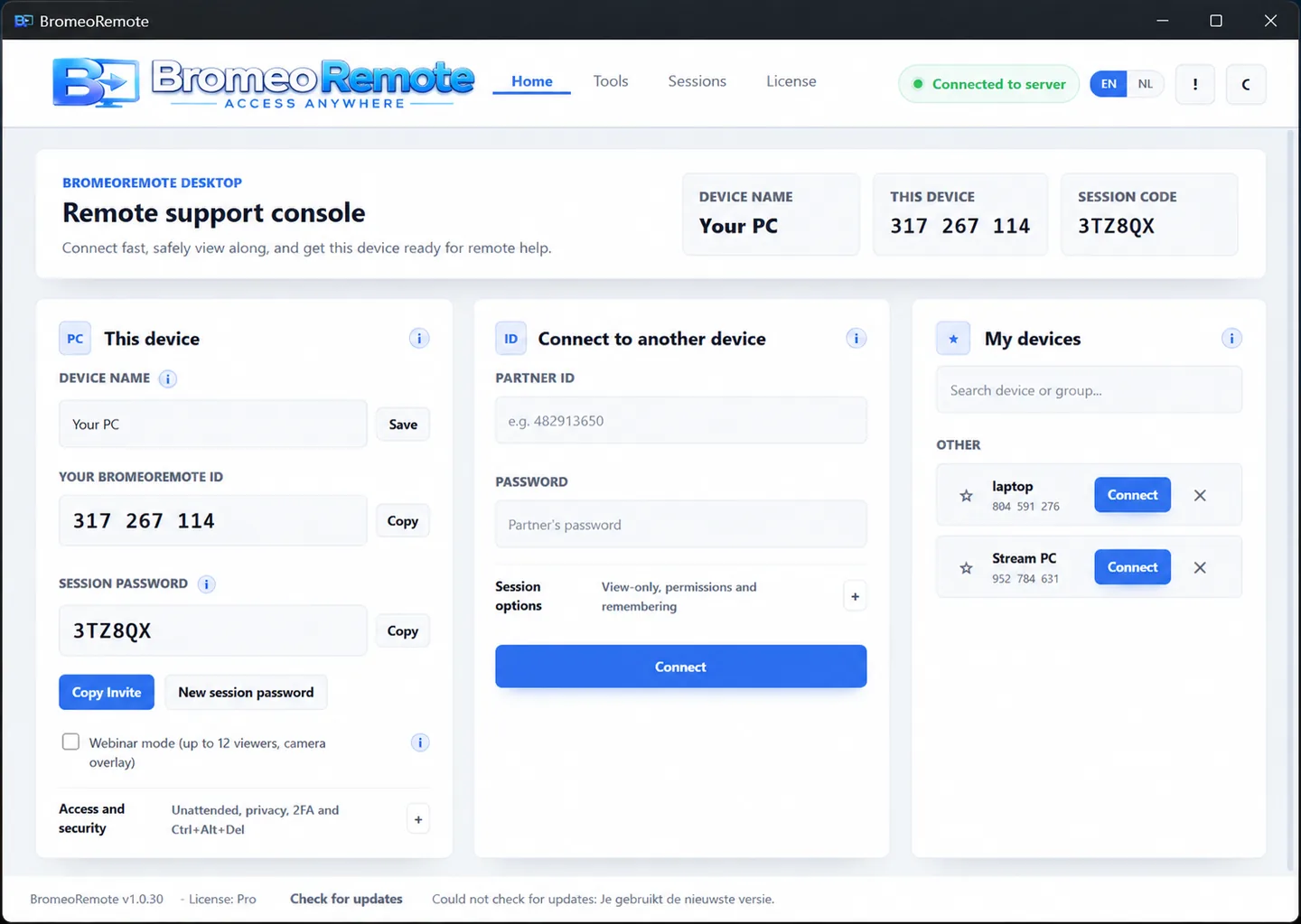
Give your unique 9-digit session ID to your supporter or partner to establish a connection.
Control the remote PC, chat in real-time, transfer files and manage monitors securely.
Hardware-Bound Security
Every layer of BromeoRemote is designed with security first — from connection to licensing.
Licenses & Pricing
Pay securely via Mollie. Your license is active immediately after payment.
Download for free with basic functionality.
For the active user and IT admin.
For businesses and power users.
Accepted payment methods:


FAQ
Yes. BromeoRemote offers the same core functionality — remote support, viewing, controlling, chatting and transferring files — but with better privacy, HWID security and transparent pricing with no hidden costs.
HWID (Hardware ID) binds your license to a unique, irreversible fingerprint of your admin computer. Even if someone got hold of your login details, the license couldn't be used on another PC.
You pay securely via Mollie (iDEAL, Credit card, PayPal, Apple Pay, Google Pay or SEPA). Your license is activated automatically as soon as payment is confirmed — no manual step needed.
BromeoRemote supports Windows 10 and newer. The Android app requires Android 8.0 or higher. A stable internet connection is required for remote sessions.
Contact
Send a message and we'll get back to you as soon as possible.